Self-Hosted and Private LLMs for Business: When, How and What It Costs
A plain guide to running a large language model on your own hardware: when it makes sense, which software and hardware to pick, how to size memory, and a cost formula you fill in with your own numbers.

By Muhammad Usman SiddiquiEditor responsible: Muhammad Usman Ali
Guide · Intermediate · 44 min
On this page · 16 sections
- 01When to self-host
- 02A scorecard for the self-hosting decision
- 03Small models are enough for most business tasks
- 04What a working setup looks like
- 05The software stack
- 06How much memory a model needs
- 07Hardware by use case
- 08Which open-weight models to look at
- 09What it costs
- 10Security and governance basics
- 11Production deployment checklist
- 12A suggested test plan
- 13Common mistakes
- 14When not to self-host
- 15Glossary
- 16Work with EdgeFirm
Key takeaways
- Self-host for a reason you can name: data that cannot leave your network, steady high volume, offline work or tight control. If none applies, an API is cheaper and simpler.
- A small model of 4 to 32 billion parameters is enough for many narrow, repeated tasks such as extraction, classification and document questions. Run a larger one only when a test on your own data shows the small one fails.
- Memory decides the hardware, and users decide the memory. Weights take about 2 GB per billion parameters at 16-bit and about 0.5 GB at 4-bit, and each request running at once adds its own context cache. Newer models that use linear or sliding-window layers need much less cache than the plain formula says.
- Use Ollama or LM Studio for one person, vLLM or SGLang for a team, and llama.cpp for CPUs and edge devices. Put a gateway in front of any shared server. Text Generation Inference is archived.
- Count every cost line, above all staff time, then test before you buy: a model test first, a rented pilot second, a purchase last.
What we tested
What we did on 2026-10-27, as a team working with AI assistance. We opened and read the config.json files of ibm-granite/granite-4.2-8b, Qwen/Qwen3.8-27B and meta-models/Muse-Glimmer-30B on Hugging Face for layer counts, key-value head counts, head sizes and the attention type of each layer (the layer_types list), and read the three model cards for parameter counts and license. We read the Ollama library pages for granite4.2 and qwen3.8 for tag sizes, the vLLM recipe for Qwen3.8-27B, and the SGLang quickstart and Granite 4.2 cookbook. We ran the memory calculator (vram_calc.py) with Python 3.13.3, printed its output in the text, and checked the same maths against the TypeScript calculator on the page. We read the vendor documentation and spec pages listed under Sources, including the vLLM and SGLang quickstarts and the llama.cpp server README, and the OWASP GenAI LLM Top 10 2026 page (published 2026-08-03) and its LLM04:2026 Supply Chain entry. We wrote the four diagrams as SVG files, took their memory numbers from the same script, and rendered and inspected each one. We confirmed the Apple and AMD figures through those vendors' own spec sheets and data sheets, in part via search excerpts. The limits: we did not start a model server (vLLM, SGLang, Ollama, llama.cpp or LM Studio), download or run a model, or benchmark hardware, so the server snippets were syntax checked but not executed. The cache sizes for linear-attention and sliding-window layers are our own arithmetic from config.json, not measured server output. This guide reports no client project and no speed test.
A self-hosted LLM is a large language model that you run on hardware you control. People also call it a private LLM, self-hosted AI or an on-premise LLM. The idea is the same: you hold the model files and you run them, so your prompts and answers do not pass through a model vendor.
This guide has two readers. Leaders can read the scorecard and the cost section. Engineers can read the architecture, software and memory sections. We wrote it as an engineering report: each number comes from a source we read on a stated date or from a script we ran, and our own judgment is labeled as judgment.
When to self-host
These are the six reasons we see cited most often when a team asks whether to self-host.
- Privacy. Prompts can contain contracts, patient notes or source code. A local model keeps them inside your network.
- Data residency. Some data must stay in one country or one cloud account. You choose where the server sits.
- Cost at volume. If you push a large, steady stream of tokens through a model, owned or rented hardware can cost less per token than an API. This depends on utilization, covered in the cost section.
- Latency. A model on your network removes the round trip to a vendor. It also removes queueing behind other customers.
- Offline use. Field teams and plants without a reliable connection need a model on the device. See our post on offline AI for field teams.
- Control. You pick the model version, so it does not change under you. You can also fine-tune it on your own data.
Four ways to host
- Hosted API. You send prompts to a vendor and pay per token. Nothing to run. Your data leaves your environment under a contract.
- Private cloud. You rent GPU machines inside your own cloud account. The data stays in your account and you skip buying hardware.
- On-premise. You buy the servers and keep them in your own room or data centre. You control and carry everything.
- Hybrid. You self-host the tasks that touch sensitive data and send the rest to an API. Some firms end up here when only a small share of their work is sensitive.
The flowchart below asks five questions: does any work use data that cannot go to a vendor, is volume high or latency or offline use strict, is all your work that sensitive, do you have staff to run GPU servers, and must data stay on your own premises. Follow it to a starting point, not a final answer.
Flowchart that starts with whether any work uses data that cannot go to a model vendor and ends in one of four outcomes: hosted API, private cloud, on-premise or hybrid.
The software and memory sizing below apply the same way to private cloud and on-premise. Only the buying and the physical security change.
A scorecard for the self-hosting decision
Leaders ask for one page that settles the question. This is ours. We call it the Five-Question Self-Hosting Scorecard. It is our own judgment, built from the reasons above, and not an industry standard. Score each row 0, 1 or 2, then add up.
| Question | 0 points | 1 point | 2 points |
|---|---|---|---|
| 1. Can prompts go to a vendor under contract? | Yes, without limits | Only with a zero-retention contract | No, by law, contract or policy |
| 2. How much and how steady is your volume? | Low or uneven | Moderate | High and steady most of the day |
| 3. Do you need low latency or offline use? | No | It would help | Yes, it is a requirement |
| 4. Who runs the servers? | Nobody | One person part-time | A platform team with an on-call rota |
| 5. How did a small open model do on your test? | It failed your bar | Not tested yet, or close to the bar | It met the bar on your examples |
Read the result in this order. Stop at the first rule that applies.
- Question 5 scored 0. Do not self-host yet. A small model failed your test. Try one size up, or use an API. No hardware choice fixes a model that fails.
- Question 4 scored 0, and question 1 or question 3 scored 2. You cannot use an API, and you cannot run servers. Plan for a partner who operates the system, or for private cloud with managed help.
- Question 4 scored 0 otherwise. Use an API. Nobody can run the servers.
- Add up all five scores. A total of 8 or more with a 2 on question 5 means self-hosting is likely to pay. Still fill in the break-even calculator with real quotes.
- A total of 6 or 7, or 8 or more with a 1 on question 5, means run a pilot. Try private cloud or a hybrid setup before you buy hardware. Finish the model test first.
- A total of 5 or less means use an API, unless question 1 or question 3 scored 2. If one did, an API cannot meet the need (data that cannot leave, or offline use), so run a pilot on private cloud or on your own hardware.
We checked all 243 combinations of answers against these rules with a small script. None sends data that cannot leave, or offline work, to an API, none says self-hosting is likely to pay when nobody can run the servers, and none says it is likely to pay when no test has been run.
Small models are enough for most business tasks
Most business work is narrow. Extract fields from an invoice. Label a support ticket. Answer a question from a handbook. Draft a reply from a template. Models of 4 to 32 billion parameters often do these well. We read a position paper on arXiv that argues small language models are powerful enough, and cheaper, for many repeated calls inside agent systems. Our read: it is an argument, not a measurement on your data, so we treat it as a reason to run a test, not as a promise.
The rule for small versus large models:
- Write 50 to 100 real examples of the task, with the answers you expect.
- Run a small model first. Score it.
- Move up one size only if the score is too low.
- Stop at the smallest model that meets your bar.
Run a large model when the task needs long reasoning, broad world knowledge or hard code generation, and a small model fails your test. Large open-weight models exist, but they need a rack of GPUs, covered in the hardware section.
Which size to try first, by task
The table gives the starting size we would try for each common task. These are our engineering starting points for a first test, not measured results. Public rankings measure other people's tasks, so the last column says what to check on yours.
| Task | Size to try first | What to test on your data |
|---|---|---|
| Extraction of fields from documents | 4B to 8B | Exact match on each field, and what happens on a missing field |
| Classification and routing | 4B to 8B | Accuracy per label, especially the rare labels |
| Summarization | 8B to 32B | Missed facts and invented facts, scored by a person |
| Answers from your documents (RAG) | 8B to 32B | Answers grounded in the retrieved text, and refusals when the text lacks the answer |
| Code help | 32B or larger | Tests pass on your own code base and style |
| Agents that call tools | 32B or larger | Valid tool calls over many steps, and recovery from errors |
| Translation | 8B to 32B | Your language pairs, named terms and tone |
Two notes. First, one model rarely needs to do everything. A small model for extraction and a larger one for hard questions can sit behind one gateway. Second, retrieval changes the picture, because the model reads your documents instead of recalling facts. Test with and without it on your own documents. Our guide to retrieval-augmented generation covers how to build and test it.
What a working setup looks like
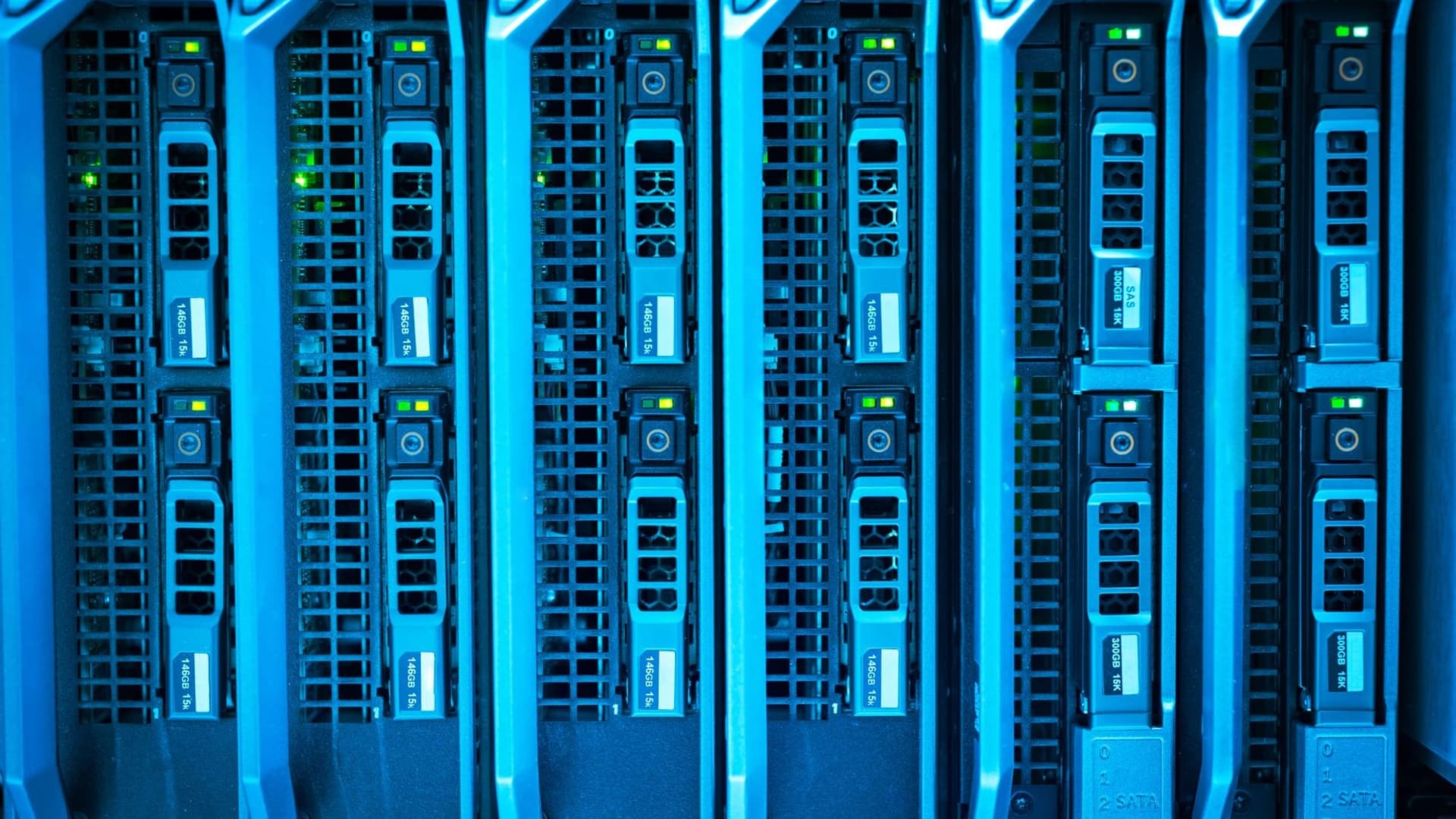
Most self-hosted setups share one shape. Callers send requests to a gateway. The gateway checks and limits them, then forwards them to an inference server. The inference server loads the model into GPU memory and answers.
Architecture diagram: chat app, document search and scripts call a gateway that handles sign-in, limits and logging, which forwards to an inference server on GPU nodes with model storage, and an optional dashed fallback path to a hosted API.
The gateway
The gateway is your control point. It is a small service in front of the model that checks sign-in or an API key, applies rate limits and quotas, writes logs under your retention rules and forwards only the paths you allow. It matters because inference servers are built to serve fast, not to guard access. In the vLLM serve reference we read, the API key protects only the /v1, /v2 and /inference paths. We would close that gap with a gateway, which also gives you one place to change policy. In this design the gateway forwards only the /v1 paths. That is our design choice, not a vLLM rule.
The inference server
The inference server loads the weights, batches incoming requests and exposes an OpenAI-compatible API. The options are covered in the next section. Keep it on a private address. It should accept calls only from the gateway.
GPU nodes and model storage
The GPU node holds the weights and the context cache in memory. Size it with the memory section below. Model files live in storage you control, at a pinned version, next to a record of the license you accepted. The server reads them at start.
The optional fallback path
Some teams add a route from the gateway to a hosted API for overflow or outages. This works only if the fallback request is allowed to leave your network. Let the gateway decide, by rule, which requests may use it. Never let the application choose.
The software stack
Inference software loads the weights and serves answers. We pick by how many people use it. The table compares the runtimes, using only facts we read on each project's own pages.
| Runtime | License | Hardware named by the project | OpenAI-compatible API | Best for |
|---|---|---|---|---|
| Ollama | MIT | macOS, Windows, Linux and Docker | Yes | One person, quick start |
| LM Studio | Not stated on the page read | App with a Developer tab and an lms command line | Yes | One person who prefers a desktop app |
| llama.cpp | MIT | Apple Metal, NVIDIA CUDA, AMD HIP, Vulkan | Yes, chat completions, responses and embeddings | CPUs, laptops, edge devices |
| vLLM | Apache-2.0 | NVIDIA, AMD and Intel GPUs, x86, ARM and PowerPC CPUs, plus plugins for others | Yes | Teams and products on GPUs |
| SGLang | Apache-2.0 | NVIDIA, AMD Instinct, Google TPU, Intel, Apple Silicon and others | Yes, a /v1/chat/completions endpoint | Agent-style loads on GPUs |
| Text Generation Inference | Not checked | Not checked | Not checked | Existing installs only; archived |
The cells cite the project pages we read on 2026-10-27. Where a page did not state a fact, the cell says so. Metal, CUDA, HIP and Vulkan are graphics software layers: Apple's, NVIDIA's, AMD's and a cross-vendor one. A TPU is a Google AI chip. What we take from the table:
- We start with Ollama or LM Studio to learn what a model can do on the task.
- We move to vLLM when a team or product shares the model. SGLang is the other serious choice, so we would run both on your own prompts if throughput matters.
- We use llama.cpp when there is no GPU or when the model ships to devices.
- We would not start a new project on TGI.
Every runtime above except TGI exposes an OpenAI-compatible API. Your application code can then switch between a hosted API and your own server by changing a base URL and a model name.
Ollama
When to pick it. One person, or a prototype, on a laptop or desktop. It is the shortest path from nothing to a working model.
Setup outline. Install it for your system, then pull a model. The Ollama library lists the granite4.2:8b tag at 5.3 GB and the qwen3.8:27b tag at 18 GB.
Pitfalls. It binds to 127.0.0.1 port 11434 by default and listens on the network only if you set OLLAMA_HOST. The FAQ we read on 2026-10-27 gives a default context of 4096 tokens and one parallel request per model, and both can change between versions, so check yours. Its OpenAI-compatible endpoint requires an API key but ignores the value. Our read of those docs is that the key gives no access control on that path, so we put a gateway in front before anyone else uses it.
LM Studio
When to pick it. One person who prefers a desktop app to a terminal, for example a manager testing a model on a work laptop.
Setup outline. Start the server from the Developer tab, or run lms server start. The documentation lists OpenAI-compatible endpoints.
Pitfalls. The page we read does not state a default port or terms for work use. We would read the port the app shows, check LM Studio's terms before company use, and treat it as a one-machine tool, not a shared service.
llama.cpp
When to pick it. No GPU, an older GPU, or a product that ships a model inside a device or desktop app.
Setup outline. llama.cpp loads models in GGUF, a single-file model format. The server README gives this launch form, and says it listens on 127.0.0.1 by default.
./llama-server -m models/7B/ggml-model.gguf -c 2048The README we read documents -hf <user>/<model>[:quant] to pull a model from Hugging Face, with Q4_K_M as the default quant, --api-key for keys, and -np for the number of server slots (how many requests it works on at once), which is automatic by default. It names port 9931 as the default in the current version, while its Docker examples set port 8080 by hand, so we pass --port to be sure.
Pitfalls. Before committing, we check that the build of the model exists in that format and that the installed version supports its architecture. We also time it on the target hardware, because CPU speed varies widely.
vLLM
When to pick it. A team or a product shares the model on one or more GPUs and you need throughput, an API key and monitoring.
Setup outline. The quickstart we read lists Linux and Python 3.11 to 3.14, and installs with uv pip install vllm --torch-backend=auto. It starts a server with vllm serve <model>, which listens on http://localhost:8000 by default. The project README we read lists PagedAttention (cache memory managed in pages), continuous batching (new requests join a batch already running) and prefix caching (reusing the cache of a repeated prompt start). Our serve script in the next section follows the same command form and adds the flags we checked in the docs.
Pitfalls. One server hosts one model at a time. By default it applies the generation_config.json file from the model repository, which can change sampling settings such as temperature. Pass --generation-config vllm to turn that off.
SGLang
When to pick it. Agent-style work on GPUs, where it is the other serious choice next to vLLM. Run both on your own prompts and compare.
Setup outline. The quickstart shows a launch form and a request.
sglang serve ibm-granite/granite-4.2-8b --host 0.0.0.0 --port 30000curl http://localhost:30000/v1/chat/completions \ -H "Content-Type: application/json" \ -d '{"model": "ibm-granite/granite-4.2-8b", "messages": [{"role": "user", "content": "Hello"}]}'We replaced the quickstart's MODEL_PATH placeholder with Granite 4.2 8B. SGLang's Granite 4.2 cookbook, which we read, lists the 8B model and reports that its BF16 checkpoints loaded and answered chat requests on one NVIDIA H200 or B200 GPU.
Pitfalls. The quickstart example listens on every network interface through --host 0.0.0.0. On a server, we bind to a private address and let the gateway reach it. The quickstart's install line uses --prerelease=allow, so we pin the version we tested.
Text Generation Inference
When to pick it. Only if you already run it. The README we read says it was in maintenance mode, and that the repository was archived and made read-only on 2026-03-21. It recommends vLLM and SGLang.
What to do. We plan a move to vLLM or SGLang. If the application uses an OpenAI-style client, we expect the move to be mostly a base URL and a model name, plus a test run.
Serve and call a model
The first snippet starts vLLM with flags we took from its documentation. --max-model-len caps context, which caps key-value cache memory. --gpu-memory-utilization sets the share of GPU memory vLLM may use. --api-key makes the server require a key. The command form, vllm serve <model> <flags>, matches the quickstart.
#!/usr/bin/env bash# Start an OpenAI-compatible vLLM server on one NVIDIA GPU.# Flags: see https://docs.vllm.ai/en/latest/cli/serve/# Not executed for this guide: no GPU server was available in our test run.set -euo pipefail export VLLM_API_KEY="${VLLM_API_KEY:?set a long random key first}" vllm serve ibm-granite/granite-4.2-8b \ --host 127.0.0.1 \ --port 8000 \ --max-model-len 32768 \ --gpu-memory-utilization 0.90 \ --api-key "$VLLM_API_KEY"The second snippet is a client we wrote for either vLLM or Ollama. The vLLM quickstart documents a server on http://localhost:8000 and the openai Python package. Ollama documents port 11434 and notes that its API key is required but ignored.
"""Call any OpenAI-compatible local server with the official openai package. vLLM: BASE_URL=http://127.0.0.1:8000/v1 MODEL=ibm-granite/granite-4.2-8b API_KEY=<your key>Ollama: BASE_URL=http://localhost:11434/v1/ MODEL=granite4.2:8b API_KEY=ollama Not executed for this guide: no model server was available in our test run.The call shapes follow the vLLM and Ollama documentation."""import os from openai import OpenAI client = OpenAI( base_url=os.environ.get("BASE_URL", "http://localhost:11434/v1/"), api_key=os.environ.get("API_KEY", "ollama"),) reply = client.chat.completions.create( model=os.environ.get("MODEL", "granite4.2:8b"), messages=[ {"role": "system", "content": "Answer in two sentences."}, {"role": "user", "content": "Why would a firm run its own language model?"}, ], temperature=0.2,)print(reply.choices[0].message.content)To use Ollama, pull the model first, then run the client.
ollama pull granite4.2:8bBASE_URL=http://localhost:11434/v1/ MODEL=granite4.2:8b API_KEY=ollama python3 chat_client.pyHow much memory a model needs
Memory is the first limit you hit. Three things use it.
- Weights. The model itself. The size depends on parameter count and precision.
- Key-value cache. Working memory for each conversation, also called the context cache. It grows with context length and with the number of users at once.
- Overhead. Activations, the framework and the GPU driver.
Quantization stores weights in fewer bits. A 16-bit weight takes 2 bytes. An 8-bit weight takes 1 byte. A 4-bit weight takes about half a byte. Fewer bits means a smaller model and some loss of quality, so test the quantized model on your own examples.
In RunPod's sizing guide, read on 2026-10-27, we found these rules: about 2 GB of VRAM per billion parameters at 16-bit, about 0.5 GB at 4-bit, and 15 to 20 percent on top for overhead. The same guide gives the key-value formula that our calculator uses. VRAM means the memory on the graphics card.
The formula:
weights_gb = parameters_in_billions x bytes_per_weightkv_gb = 2 x kv_heads x head_dim x bytes_per_value x cached_tokens x users / 1e9total_gb = (weights_gb + kv_gb) x 1.20For a dense model, cached_tokens is layers x context, so the line is the RunPod formula. That is the default case and the worst case: every layer keeps a cache for every token. The next subsection shows how to change cached_tokens for models that do not work that way.
The Python script below applies it. Three models are in it, and we read each one's config.json and card on Hugging Face on 2026-10-27. Granite 4.2 8B (ibm-granite/granite-4.2-8b, released in 2026 under Apache 2.0) is our small example. It is a plain dense model with 40 layers, 8 key-value heads and a head size of 128. Qwen3.8-27B (Qwen/Qwen3.8-27B) is our mid-size example. It has 64 layers, 4 key-value heads and a head size of 256, but only 16 of the layers are full attention. Muse Glimmer 30B (meta-models/Muse-Glimmer-30B) is the third. It has 52 layers, 2 key-value heads and a head size of 128, with a sliding window of 2048 tokens in 39 of the layers. Parameter counts come from the Hugging Face file metadata and model card: 8.79 billion for Granite, 27.78 billion for Qwen3.8-27B (the vision encoder and the speculative-decoding head are in that file total) and 29.6 billion for Glimmer (the card's figure, vision encoder included).
"""Rough memory estimate for serving a transformer model. Formula (same shape as the RunPod sizing guide, plus a layer split for newer models): weights_gb = params_billion * bytes_per_weight kv_gb = 2 * kv_heads * head_dim * kv_bytes * cached_tokens * requests / 1e9 + state_gb * requests cached_tokens = full_layers * context + sliding_layers * min(context, window) total_gb = (weights_gb + kv_gb) * (1 + overhead) A dense model has full attention in every layer (full_layers = layers, nothing else),which is the worst case and the default. Linear-attention layers keep no per-tokencache, only a small fixed state per request (state_gb). It is an estimate. Real use varies with engine, batch size and quantization format."""from dataclasses import dataclass BYTES_PER_WEIGHT = {"fp16": 2.0, "int8": 1.0, "int4": 0.5}OVERHEAD = 0.20 # activations, framework and CUDA context (guide says 15 to 20 percent) @dataclassclass Model: name: str params_b: float # billions of parameters layers: int kv_heads: int head_dim: int full_layers: int | None = None # layers with a cache for every token (default: all) sliding_layers: int = 0 # layers that keep only the last `window` tokens window: int = 0 state_gb: float = 0.0 # fixed recurrent state per request (linear-attention layers) def __post_init__(self): if self.full_layers is None: self.full_layers = self.layers # Values read from each model's config.json on Hugging Face on 2026-10-27.MODELS = { # ibm-granite/granite-4.2-8b: dense, full attention in all 40 layers "granite-8b": Model("Granite 4.2 8B", 8.79, 40, 8, 128), # Qwen/Qwen3.8-27B: 16 full-attention and 48 linear-attention layers. # State per linear layer: 48 value heads x 128 x 128 x 4 bytes (fp32) = 3.1 MB. "qwen-27b": Model("Qwen3.8-27B", 27.78, 64, 4, 256, full_layers=16, state_gb=48 * 48 * 128 * 128 * 4 / 1e9), # Same model priced as if all 64 layers were full attention (the old worst case). "qwen-27b-dense": Model("Qwen3.8-27B*", 27.78, 64, 4, 256), # meta-models/Muse-Glimmer-30B: 13 full and 39 sliding-window layers, window 2048. "glimmer-30b": Model("Muse Glimmer 30B", 29.6, 52, 2, 128, full_layers=13, sliding_layers=39, window=2048), "glimmer-30b-dense": Model("Glimmer 30B*", 29.6, 52, 2, 128),} def estimate(m: Model, quant: str, context: int, requests: int = 1, kv_bytes: float = 2.0): weights = m.params_b * BYTES_PER_WEIGHT[quant] cached_tokens = m.full_layers * context + m.sliding_layers * min(context, m.window) kv = 2 * m.kv_heads * m.head_dim * kv_bytes * cached_tokens * requests / 1e9 + m.state_gb * requests total = (weights + kv) * (1 + OVERHEAD) return weights, kv, total def show(cases): print(f"{'model':16} {'quant':5} {'context':>8} {'users':>5} {'weights':>8} {'kv':>6} {'total':>7} (GB)") for key, q, ctx, users in cases: m = MODELS[key] w, kv, t = estimate(m, q, ctx, users) print(f"{m.name:16} {q:5} {ctx:>8} {users:>5} {w:>8.1f} {kv:>6.1f} {t:>7.1f}") if __name__ == "__main__": show([ ("granite-8b", "fp16", 8192, 1), ("granite-8b", "int4", 8192, 1), ("granite-8b", "int4", 32768, 8), ("qwen-27b", "fp16", 32768, 1), ("qwen-27b", "int8", 32768, 1), ("qwen-27b", "int4", 32768, 1), ("qwen-27b", "int4", 32768, 8), ("qwen-27b", "int8", 32768, 8), ("qwen-27b", "int4", 32768, 2), ("qwen-27b", "int4", 32768, 4), ("qwen-27b", "int4", 32768, 16), ]) print() print("Same weights and context, three cache layouts (int4, 32k, 8 requests; * = all layers full):") show([ ("qwen-27b-dense", "int4", 32768, 8), ("qwen-27b", "int4", 32768, 8), ("glimmer-30b-dense", "int4", 32768, 8), ("glimmer-30b", "int4", 32768, 8), ])We ran it with python3 -I vram_calc.py on Python 3.13.3 on 2026-10-27. This is its output. A star means the model is priced as if every layer were full attention, to show the old worst case.
model quant context users weights kv total (GB)Granite 4.2 8B fp16 8192 1 17.6 1.3 22.7Granite 4.2 8B int4 8192 1 4.4 1.3 6.9Granite 4.2 8B int4 32768 8 4.4 42.9 56.8Qwen3.8-27B fp16 32768 1 55.6 2.3 69.4Qwen3.8-27B int8 32768 1 27.8 2.3 36.1Qwen3.8-27B int4 32768 1 13.9 2.3 19.4Qwen3.8-27B int4 32768 8 13.9 18.4 38.7Qwen3.8-27B int8 32768 8 27.8 18.4 55.4Qwen3.8-27B int4 32768 2 13.9 4.6 22.2Qwen3.8-27B int4 32768 4 13.9 9.2 27.7Qwen3.8-27B int4 32768 16 13.9 36.8 60.8Same weights and context, three cache layouts (int4, 32k, 8 requests; * = all layers full):model quant context users weights kv total (GB)Qwen3.8-27B* int4 32768 8 13.9 68.7 99.1Qwen3.8-27B int4 32768 8 13.9 18.4 38.7Glimmer 30B* int4 32768 8 14.8 14.0 34.5Muse Glimmer 30B int4 32768 8 14.8 4.1 22.7When the cache is smaller than the worst case
Three layer types matter for cache memory, and the model's config.json says which a model uses. Its layer_types list names the type of each layer.
- Full attention. The layer keeps keys and values for every token in the context. This is the dense case.
- Sliding-window attention. The layer keeps only the last
windowtokens. Past the window its cache stops growing. - Linear attention. The layer keeps a fixed-size state for the whole conversation, with no per-token cache. The state is small, but not zero.
So the formula changes in one place. Count the cached tokens per layer type and add them:
cached_tokens = full_layers x context + sliding_layers x min(context, window)kv_gb = 2 x kv_heads x head_dim x bytes_per_value x cached_tokens x users / 1e9 + state_gb_per_request x usersA dense model has full_layers = layers, no sliding layers and no state, which gives the original formula. For our three models the cache for one request at 32k context compares like this.
| Model | Layers (full, sliding, linear) | Key-value heads x head size | Cache for one request at 32k | If every layer were full |
|---|---|---|---|---|
| Granite 4.2 8B | 40 (40, 0, 0) | 8 x 128 | 5.4 GB | 5.4 GB |
| Qwen3.8-27B | 64 (16, 0, 48) | 4 x 256 | 2.3 GB | 8.6 GB |
| Muse Glimmer 30B | 52 (13, 39, 0), window 2048 | 2 x 128 | 0.5 GB | 1.7 GB |
In the Qwen3.8-27B row, the figure is 2.15 GB of cache in its 16 full layers plus about 0.15 GB of linear-attention state. We worked the state out from config.json as 48 value heads x 128 x 128 values x 4 bytes (the config sets the state to 32-bit) x 48 layers. It is our arithmetic, not server output. The vLLM recipe we read describes the model as linear attention on 48 of 64 layers. For Glimmer, the card we read gives the window and the 3-local, 1-global pattern, and config.json lists 13 full and 39 sliding-attention layers.
The teaching point is that a newer model can need a fraction of the cache of an older one of the same size. At 32k context and 8 requests, the 27B model needs 18.4 GB of cache by the layer-aware formula and 68.7 GB by the dense formula. The weights are the same in both. The saving comes from the layer layout, not from a smaller model. It also grows with context. At 128k context one Glimmer request needs 1.8 GB of cache against 7.0 GB if every layer were full.
Before we trust any cache figure for a model, we do three things. We read layer_types and count the layers of each kind. We check whether the engine keeps the full cache anyway for some layer types, because engines differ in how they allocate sliding-window and linear-attention memory. Then we load the model and compare with the memory the server reports, and we recommend you do the same.
Try the calculator
The same maths runs in the calculator below, so you can change the inputs. Pick Granite 4.2 8B, Qwen3.8-27B or Muse Glimmer 30B, or choose Custom and type the layer count, key-value head count and head size from your model's config.json. For a model with linear-attention or sliding-window layers, also enter how many layers keep a full-length cache, how many use a window and how big it is, and any fixed state per request. Leave those at their dense defaults for a plain model. Then set the precision, the context per request, the number of requests at the same time and the memory of one GPU. It shows weights, context cache, a total with 20 percent overhead, and the number of GPUs of that size. The GPU count is a minimum, because splitting a model across cards needs extra headroom. The starting inputs are an illustration, not a recommendation.
GPU memory calculator
Weights
4.4 GB
Context cache
1.3 GB
Total, with 20% overhead
6.9 GB
GPUs of 24 GB
1
An estimate. Layers that are neither full-cache nor sliding-window are treated as linear attention, with no per-token cache. Real use varies with the serving engine and quantization format. Splitting a model across GPUs needs extra headroom, so treat the GPU count as a minimum.
What the numbers show
Stacked bar chart of memory in GB for one user: Granite 4.2 8B at 16-bit with 8k context is 22.7 and at 4-bit is 6.9, Qwen3.8-27B at 16-bit with 32k context is 69.4 and at 4-bit is 19.4, split into weights, context cache and overhead, with card sizes as reference lines.
- Quantization shrinks weights fast. Granite 4.2 8B at 16-bit needs about 22.7 GB with 8k context for one request. At 4-bit it needs about 6.9 GB. As a cross-check, we compared our weight figure of 4.4 GB with the 5.3 GB download Ollama lists for granite4.2:8b. Our read: the estimate is a floor. The same check for Qwen3.8-27B puts our 13.9 GB of weights against an 18 GB Ollama download.
- Users and context can cost more than weights. The 8B model at 4-bit holds 4.4 GB of weights. Eight users at 32k context add 42.9 GB of cache, for 56.8 GB in total. A model that caches fewer layers needs far less: Qwen3.8-27B adds only 18.4 GB for the same eight users.
What changes when you add users
Weights are a fixed cost. The cache is paid again for each request that runs at the same time. For Qwen3.8-27B at 4-bit with 32k context, weights stay at 13.9 GB while the cache grows by about 2.3 GB per request. The total goes from 19.4 GB for one request to 22.2 GB for two, 27.7 GB for four, 38.7 GB for eight and 60.8 GB for sixteen.
Stacked bar chart of memory in GB for Qwen3.8-27B at 4-bit with 32k context at 1, 2, 4, 8 and 16 requests at once: weights stay at 13.9 while the context cache grows, with totals of 19.4, 22.2, 27.7, 38.7 and 60.8 and card sizes as reference lines.
The unit that matters is requests at the same time, not employees. The users column in the script output counts requests at once. Twenty people rarely send twenty requests in the same second. You measure the real peak in your logs or in a pilot.
Limits of this estimate
The numbers are still a worst case in other ways. They assume a 16-bit cache, which engines can shrink to 8-bit, and every user filling the whole context. They ignore speculative-decoding heads and image inputs. Always load the real model and read the memory the server reports.
A worked example: a 20-person team
This worked example uses only the calculator numbers. It is not a client project. Say a 20-person team wants Qwen3.8-27B at 8-bit with 32k context. We assume that at the busiest moment a given number of requests run at once. That is our assumption, so measure yours.
- Four requests need 44.4 GB by the calculator. That fits on one H100 SXM card (SXM is a server card format), which NVIDIA lists at 80 GB.
- Eight requests need 55.4 GB and still fit on the H100.
- Sixteen requests need 77.5 GB. That is under 80 GB but over the 72 GB that 90 percent of the card gives, so it does not fit at our serve script's setting. It fits on one 141 GB H200 by NVIDIA's listing, where 90 percent is about 127 GB.
- Thirty-two requests need 121.6 GB, which just fits on the H200 at that setting. Sixty-four need 209.9 GB, which is more than any single card in the table holds. A 192 GB AMD MI300X is also too small, because 90 percent of it is about 173 GB.
Usable memory is always below the card size. Our serve script lets vLLM use 90 percent of GPU memory, which is about 173 GB of a 192 GB card, 127 GB of a 141 GB card and 72 GB of an 80 GB card. The numbers are worst case, because the formula lets every request fill all 32k tokens. Short requests use less cache. What we take from it is the shape: the first user is cheap, and every extra concurrent request costs about 2.3 GB for this model and context. With the old dense formula the same 16 requests would come to 198.3 GB, so the layer split decides which card we would buy.
Hardware by use case
Match the box to the number of requests at once, not to the biggest model you can name. The table lists the memory and, where the vendor states it, the bandwidth. GB/s and TB/s are gigabytes and terabytes per second, the rate at which memory feeds the chip. HBM is high-bandwidth memory, used on data centre cards. SXM and NVL are two card formats NVIDIA sells. We left prices blank where we have no dated, primary source. Figures come from the vendor pages we read.
| Hardware | Memory for models | Typical price | Runs well | Best for |
|---|---|---|---|---|
| Apple Silicon Mac (M5 Max, M5 Ultra) | Up to 128 GB unified (MacBook Pro, Mac Studio M5 Max); up to 512 GB (Mac Studio M5 Ultra) | Not listed | Large quantized models, because the CPU and GPU share one memory pool. By our estimate (vram_calc.py) Qwen3.8-27B at 8-bit with 32k context needs about 36 GB for one request and at 16-bit about 69 GB. Apple lists 614 GB/s memory bandwidth for the 40-core GPU M5 Max and 1.2 TB/s for the M5 Ultra, so speed per token is lower than on a data centre GPU. | One person or a small team that wants to try a large model quietly on a desk, with no GPU server to run. Not built for many users at once. |
| NVIDIA RTX 4090 | 24 GB GDDR6X | Not listed | Small models. By our estimate (vram_calc.py) Granite 4.2 8B at 8-bit with 8k context needs about 12 GB and fits easily; at 16-bit it needs about 23 GB, which leaves no room on 24 GB. Qwen3.8-27B at 4-bit with 32k context needs about 19 GB for one request, so it fits with little room to spare. | Development and low-volume internal tools on one workstation with a 450 W graphics card (NVIDIA total graphics power). |
| NVIDIA RTX 5090 | 32 GB GDDR7 | Not listed | A 4-bit model of about 27B parameters fits with a long context, for example Qwen3.8-27B at 4-bit with 32k context needs about 19 GB for one request and about 39 GB for eight, so a few requests fit (see the calculator in the guide). A third-party tally reports about 150 tokens a second for an 8B model at 4-bit on one stream, from tests it credits to DeepResearch Ninja using Ollama. | Fast single-user inference and development on one workstation. |
| NVIDIA DGX Spark | 128 GB unified | Not listed | NVIDIA states inference of models up to 200B parameters on one unit (128 GB version). A third-party tally reports about 38 tokens a second for an 8B model at 4-bit on one stream, from tests it credits to DeepResearch Ninja using Ollama. Speed per user is lower than on a data centre GPU because of its 273 GB/s memory bandwidth. | A small team sharing one box for large models, prototyping and fine-tuning. |
| NVIDIA H100 | 80 GB HBM (SXM) or 94 GB HBM3 (NVL) | Not listed | By our estimate (vram_calc.py) Qwen3.8-27B at 8-bit with 32k context needs about 44 GB for four requests at once and about 55 GB for eight, so one card holds it. At 16-bit with one request it needs about 69 GB, which fits on 80 GB with little room to spare. NVIDIA lists 3.35 TB/s bandwidth for the SXM card and 3.9 TB/s for the NVL card. | Shared serving of mid-size models for a team or a product, usually on vLLM or SGLang. |
| NVIDIA H200 | 141 GB HBM3e | Not listed | By our estimate (vram_calc.py) Qwen3.8-27B at 8-bit with 32k context for 32 concurrent requests needs about 122 GB, so one card holds it. At 16-bit, 16 requests need about 111 GB. NVIDIA lists 4.8 TB/s memory bandwidth. | Serving mid-size models to many users on one card, where extra memory for context matters more than extra compute. |
| NVIDIA DGX B200 | 1,440 GB total across 8 Blackwell GPUs (HBM3e) | Not listed | Very large models split across eight GPUs. NVIDIA lists 64 TB/s total HBM3e bandwidth. The NVIDIA page gives the system total only, not a per-GPU figure. | A company that serves large open-weight models to many users and has a data centre team to run it. |
| AMD Instinct MI300X | 192 GB HBM3 | Not listed | More memory per card than an H100 or H200, so a mid-size model with long context fits on one card. AMD lists 5.3 TB/s peak memory bandwidth (a theoretical peak) and says an 8-GPU node holds 1.5 TB of HBM3. Runs on ROCm, and vLLM and SGLang both list AMD GPU support. | Teams that already use AMD hardware or want more memory per card, and can support the ROCm software stack. |
Here is how we read the table against the calculator output, one class at a time.
Laptops and Apple Silicon desktops
The CPU and GPU share one memory pool, so a Mac with 128 GB can hold a model that a 32 GB graphics card cannot. On Apple's specification page we read, Apple lists up to 128 GB for the M5 Max (the 40-core GPU version, 614 GB/s) and 512 GB for the M5 Ultra (1.2 TB/s) in the Mac Studio. Other chip versions have less. We would size it for one person or a very small group, not a whole office.
Single consumer GPU workstations
NVIDIA lists 24 GB of GDDR6X for the RTX 4090 and 32 GB of GDDR7 for the RTX 5090. By our estimate, 24 GB runs an 8B model at 4-bit with room to spare. Qwen3.8-27B at 4-bit with 32k context for one user needs 19.4 GB, which fits in 24 GB with little room, and the 32 GB card leaves space for a few requests at once. We would use this class for a developer, a pilot or a small team with short contexts.
Desk-side unified memory boxes
NVIDIA lists the DGX Spark at 128 GB of unified memory with 273 GB/s of bandwidth. It states inference of models up to 200 billion parameters on one unit. Low bandwidth means slower answers per user than a data centre card. In our judgment it fits a team that wants a large model on a desk and can accept slower answers.
One data-centre GPU
In our judgment, this class serves a team or a product from one card. NVIDIA lists the H100 at 80 GB and 3.35 TB/s for the SXM card, and 94 GB at 3.9 TB/s for the NVL card. By our estimate, Qwen3.8-27B at 16-bit with 32k context for one user needs 69.4 GB, which fits on the 80 GB card but not at 90 percent usable memory with a second request. At 8-bit it needs 36.1 GB for one user and 55.4 GB for eight.
NVIDIA lists the H200 at 141 GB of HBM3e and 4.8 TB/s, which it describes as nearly double the H100 capacity. By our estimate, sixteen requests at once on Qwen3.8-27B at 16-bit with 32k context need 110.8 GB, which fits on one card at the 90 percent setting in our serve script. A dense model of the same size would need several times that cache.
AMD lists the MI300X at 192 GB of HBM3 and a 5.3 TB/s theoretical peak bandwidth. We would check that the serving software and the exact model support ROCm, AMD's GPU software stack, before buying. Both vLLM and SGLang list AMD GPU support.
Multi-GPU servers
NVIDIA lists the DGX B200 at 1,440 GB of memory in total across eight GPUs, with 64 TB/s of bandwidth. The page gives no per-GPU number. This class is for very large models and many users. A model split across cards needs extra memory and fast links, so we would size it with the vendor and test it before committing.
Which open-weight models to look at
For how to pick a model for a task, see our guide to choosing AI models.
Open-weight means you can download the weights. It does not always mean open source, and the license decides what you may do with them. The table shows the license tag we read on Hugging Face on 2026-10-27 for a recent model from each family. A tag of "other" means a custom license, not a single standard one. Some are permissive and some carry real limits, so read each in full.
| Family | Recent model on Hugging Face | License tag |
|---|---|---|
| Qwen | Qwen3.8-27B | apache-2.0 |
| IBM Granite | Granite 4.2 8B | apache-2.0 |
| Qwen | Qwen3.8-Flash-Next | other (Qwen Community License: a separate license is needed to offer it as a hosted service, and a name credit applies above 100M monthly users or US$20M monthly revenue) |
| DeepSeek | DeepSeek-V4.1-Flash | mit |
| GLM (Z.ai) | GLM-5.3-Flash | mit |
| GLM (Z.ai) | GLM-5.3 | other (GLM-5.3 License: a Z.AI security review applies to hosted-service operators above US$10B annual revenue) |
| Gemma (Google) | Gemma 4 31B instruction-tuned, 4-bit build | apache-2.0 |
| Mistral | Mistral Small 4 119B (NVFP4 build) | apache-2.0 |
| Mistral | Mistral Large 3 675B (NVFP4 build) | apache-2.0 |
| NVIDIA Nemotron | Nemotron 3.5 Super VL 120B-A12B (NVFP4 build) | other (the model card names the OpenMDW 1.1 license; read its terms) |
| Meta Muse | Muse Glimmer 30B (released August 2026) | apache-2.0 |
We took the tags from the Hugging Face model listings for Qwen, DeepSeek, GLM, Gemma, Mistral, Nemotron, IBM Granite and Meta's Muse Glimmer. The Muse Glimmer model card we read lists a 30-billion-parameter model released in August 2026 under Apache 2.0. The card describes it as built for agent tasks on consumer hardware with a perception encoder for images. Meta's earlier Llama releases used a custom community license with limits on distribution, naming and very large companies. Muse Glimmer does not carry those terms on its card, but read the license file in the repository you download. Model families release fast, so this list will age. For that reason we set the review cycle for this guide to 90 days.
Two rules before you adopt any model:
- Read the license file in the exact repository you download. A tag on one build does not cover another build in the same family. Qwen3.8-27B is tagged apache-2.0, while Qwen3.8-Flash-Next is tagged other.
- Check use limits. Custom licenses can restrict hosted services, very large companies, or the use of outputs to train other models. The notes in the table are our summaries of the license files we read, not legal advice. Ask your lawyer to read any license tagged other.
What it costs
We give no prices here, because they change and depend on your contract. We give the structure we use, and you fill it in with quotes you hold.
Step 1. API cost per month.
api_month = (input_tokens_per_month / 1e6 x input_price_per_million) + (output_tokens_per_month / 1e6 x output_price_per_million)Step 2. Self-hosted cost per month.
self_month = hardware_price / months_of_useful_life + hosting_and_power_per_month + staff_hours_per_month x loaded_hourly_cost + spare_capacity_cost_per_monthIf you rent GPUs, replace the first term with the rental price for a month. Spare capacity covers a second server or a fallback API for outages.
Step 3. Cost per million tokens when self-hosting.
tokens_served = peak_tokens_per_second x seconds_per_month x utilizationself_per_million = self_month / (tokens_served / 1e6)Utilization is the share of the month the hardware does useful work. This is the number we would check first, because it is easy to overstate. A server that runs only in office hours has a utilization well below the share of seconds in a month. We measure peak tokens per second on our own prompts, not from a leaflet.
Step 4. Compare, then adjust for quality. Self-hosting wins on cost only when self_per_million is below the API price for a model that passes your test. If the open model needs more retries or a longer prompt, count those extra tokens.
Price every line item
In our judgment, a cost estimate usually goes wrong by leaving lines out, not by getting one line wrong. We use the list below, and it has no prices on purpose. Each line needs a quote, an invoice or a measurement from you.
| Line item | What to price | Where the number comes from |
|---|---|---|
| Hardware | Servers, GPUs, networking, a rack or a rental | A written supplier quote |
| Power and cooling | Draw under load, times your rate | Your facilities or cloud bill |
| Hosting | Rack space or cloud instances, plus network egress | Your hosting contract |
| Staff time | Setup, updates, on-call, incident reviews | Your engineering lead and finance |
| Spares and redundancy | A second node or a fallback API for outages | A quote for the second unit |
| Monitoring and security | Metrics, logs, scanning, audits | Your tool contracts |
| Licenses | Model license terms, runtime terms, support plans | The license files and vendor quotes |
| Upgrades | A new model or new hardware in 12 to 24 months | Your own refresh plan |
Our view: staff time is the line most likely to be left out. A GPU server needs driver updates, model updates, monitoring and a person on call. If that adds a part-time engineer, count it.
Try the break-even calculator
The calculator below turns three numbers into a payback time. Enter the hardware and setup cost, your running cost per month (power, hosting and staff time) and your current API spend per month. It shows the monthly saving and the months until the hardware pays for itself, or says never if the running cost is not below your API spend. The starting numbers are placeholders for illustration. They are not prices we quote, and they are not a benchmark. Replace them with your own.
Self-hosting break-even
The starting numbers are placeholders for illustration. Replace them with your own quotes and invoices.
Monthly saving
$3,400
Break-even
8.8 months
Leave out nothing on the running side: add staff time, spares, monitoring and the cost of a model upgrade. Compare against a dated price from your provider, because API prices change.
With the placeholder inputs, we get a saving of $3,400 a month and a break-even of 8.8 months. That tells you nothing about your case. The calculator also ignores resale value, price changes and the cost of money, so we treat the answer as a first filter, not a replacement for the four steps above.
Security and governance basics
Local does not mean safe. The 2026 OWASP list of the ten main risks for LLM applications, which we read on 2026-10-27, includes prompt injection, sensitive information disclosure, supply chain, improper output handling, excessive agency, and unbounded consumption. In our assessment, a self-hosted model faces all of them. These are the basics we would put in place:
- Keep the server private. Inference servers sit on a private network behind your gateway. Defaults differ. In the docs we read, Ollama binds to the local machine and the SGLang quickstart example listens on every interface.
- Require sign-in or a key at the gateway. vLLM and llama-server both offer
--api-key, but the vLLM key covers only some paths, as the gateway section says. Treat any key as a secret you rotate, and add per-team quotas, which also cover unbounded consumption. - Log with care. Prompts can hold personal data. Decide what you store, for how long, and who can read it.
- Vet the supply chain. Download weights only from the publisher's own repository. Pin the version and keep a record of the license you accepted.
- Limit what agents can do. If the model can call tools, give it the narrowest permissions that work. Our guide to agent harnesses covers permission gates, and our post on securing AI agents covers the wider risks.
- Keep data boundaries in retrieval. If you add document search, apply the same access rules to the documents the model can see. Our post on a private AI chatbot for company documents covers this, and enterprise RAG architecture shows where access checks sit in the pipeline.
Production deployment checklist
Use this list before real users touch the system. Tick each item, and name a person for each.
Security
- Gateway sign-in is on, and the inference port accepts calls only from the gateway.
- The server has no public address.
- A logging policy says what is stored, for how long, who can read it and how it is deleted. For regulated data, read our post on HIPAA and CCPA engineering problems.
- The model repository, exact version and license you accepted are recorded, with the date.
- One named person owns updates to the model, the runtime, the drivers and the operating system.
- The OWASP LLM Top 10 risks are reviewed against your use case.
Operations
- The memory calculator was run for your real context length and peak requests at once, and the hardware has headroom above the result.
- A load test (many requests sent at once) used your own prompts. Tokens per second, latency and utilization are recorded.
- Monitoring and alerts are on, and a rollback plan exists.
- A review date is set, because models and tools change every few months.
If you also want to cut spend before you decide, see our post on reducing LLM costs. Prompt length, caching and model choice often change the answer.
A suggested test plan
This is a generic plan you can run yourself, not an EdgeFirm offering. It is the order we recommend. Each step can end the project early, which is a good result when it saves you a purchase.
- Week one: the model test. Build the 50 to 100 example set. Score one hosted API model and one or two small open models, run through Ollama on a laptop. Decide if a small model can meet your bar. Our guide to LLM evaluation shows how to score the results. If not, stop here or plan for a larger model.
- Week two: the memory and fit check. Run the calculator with your real context length and your measured peak of requests at once. Pick two hardware options that clear it with headroom.
- Week three: a rented pilot. Rent one GPU machine in your own cloud account, install vLLM or SGLang, and load test with your own prompts. Record tokens per second, latency and utilization.
- Week four: the cost and risk review. Fill in the cost formula and the line-item table with real quotes. Run the scorecard again with real answers. Write down the security basics you will need. Decide: API, hybrid, private cloud or on-premise.
Common mistakes
These are the mistakes we expect from the numbers above. They come from our reading of the sections above, not from client data. Reasons not to self-host at all are in the next section.
- Counting employees instead of concurrent requests. Twenty staff do not mean twenty requests at once. Measure the peak in a pilot.
- Testing speed with one short prompt. Real traffic mixes long and short prompts and many users. Test with a realistic mix.
- Buying hardware for a model you have not chosen. Pick the model first, because its size sets the hardware.
- Treating the pilot as production. A shared key pasted into scripts and an open port are fine for a day and wrong for a month. Our post on AI proof of concept versus production explains what changes between the two.
- Using one model for every task. A small model can serve most calls, with a larger one behind the same gateway for the hard few.
When not to self-host
Use a hosted API instead in these cases.
- Your volume is low or uneven. Idle hardware still costs money. An API charges only for use.
- You need the strongest frontier model. Open-weight models may be close behind for many tasks, but we would test before assuming.
- Nobody can patch, monitor and restart a GPU server. An unpatched inference server is a risk, not an asset.
- A vendor contract meets your privacy need. Some firms accept a zero-retention agreement with a cloud provider. Check what your provider offers, and write it into the scorecard as a 1.
- You cannot name the task. If you cannot say what the model must do and how you will score it, buying hardware is premature.
- You want to avoid a decision. Self-hosting moves work in house. It does not remove work.
A rented private cloud pilot is the cheap way to find out. If it works, you have real numbers for a purchase. If it does not, you spent little.
Glossary
| Term | Meaning |
|---|---|
| Open-weight | You can download the model files. The license still decides what you may do with them. |
| Parameters | The numbers inside a model that training sets. Model size is counted in billions of parameters (B). |
| Token | A word or a piece of a word, the unit a model reads and writes. |
| Tokens per second | How many tokens the model writes each second. Speed depends on the model, the engine, the hardware and the load. |
| Quantization (4-bit, 8-bit) | Storing the model with fewer bits to save memory, at some cost in quality. |
| VRAM | The memory on a graphics card. |
| Unified memory | One memory pool shared by the processor and graphics chip, as on Apple chips and the DGX Spark. |
| GDDR6X, GDDR7, HBM3, HBM3e | Types of fast graphics memory. HBM stands for high-bandwidth memory. |
| GB/s, TB/s | Gigabytes or terabytes per second, the rate at which memory feeds the chip. |
| SXM, NVL | Two card formats NVIDIA sells for data centres. |
| Mixture-of-experts (names like A12B) | A model that uses only part of its parameters for each token it writes. |
| NVFP4 | A 4-bit number format from NVIDIA. |
| Context window | The amount of text, counted in tokens, that the model can read in one request. |
| Key-value cache (context cache) | The working memory the model keeps for each conversation. It grows with context length and with concurrent requests. |
| PagedAttention, continuous batching, prefix caching | Three ways a server uses cache memory and GPU time better, as described in the vLLM section. |
| Slots | How many requests a llama.cpp server works on at once. |
| GGUF | The single-file model format that llama.cpp loads. |
| Metal, CUDA, HIP, Vulkan | Graphics software layers from Apple, NVIDIA, AMD and a cross-vendor group. |
| TPU | A Google AI chip. |
| OpenAI-compatible | A server that accepts the same requests as OpenAI's API, so existing tools work with it. |
| Gateway | A service in front of the model that handles sign-in, limits and logging. |
| Utilization | The share of time your hardware does useful work. |
| Zero-retention agreement | A vendor contract under which the vendor does not store your prompts. Terms vary, so read yours. |
Work with EdgeFirm
EdgeFirm builds custom LLM applications on your own data, including private deployment, open-source and hosted model options, retrieval over your documents, fine-tuning and integration with your tools. See our custom LLM applications service.
Frequently asked questions
A self-hosted LLM is a language model whose weights run on hardware you control, such as your own server, a rented GPU machine in your cloud account, or a laptop. Prompts and answers stay inside your environment instead of going to a model vendor's API.
Only at steady, high volume with the hardware kept busy. At low volume an API is usually cheaper because you pay per token and carry no idle hardware or staff time. Use the cost formula and break-even calculator in this guide with your own numbers.
By our estimate, Granite 4.2 8B needs about 7 GB at 4-bit and 23 GB at 16-bit with 8k context for one user. Qwen3.8-27B needs about 19 GB at 4-bit and 69 GB at 16-bit with 32k context for one user. Each extra request at the same time adds cache memory, about 2.3 GB for Qwen3.8-27B at 32k. That is low because only 16 of its 64 layers keep a full cache. A plain dense model of that size would add about 8.6 GB.
Yes, for small and mid-size models. Tools such as Ollama, LM Studio and llama.cpp run quantized models on laptops with enough memory. Speed and the number of simultaneous users are limited, so it suits one person or a prototype.
No. Running a model locally keeps prompts off a vendor's servers, but you still own access control, logging, patching and network exposure. A server bound to the open network with no key is not private.
Use Ollama or LM Studio when one person wants a model running quickly. Use vLLM or SGLang when several people or a product share the model and you need throughput, an API key and monitoring.
When volume is low or uneven, when nobody can patch and monitor a GPU server, when a vendor contract already meets your privacy need, or when no small model has passed a test on your own data. An API is the better start in those cases.
Test the model, not the hardware. Build 50 to 100 real examples, score a hosted model and a small open model, then run a rented GPU pilot with your own prompts. Buy hardware only after those results and a cost check.
Last updated Oct 27, 2026. Spotted something out of date? Tell us at hello@edgefirm.io.
Where we can help
Read next

Written by
Lead AI Architect
Usman has spent 8+ years building AI and machine learning systems for enterprises. He specializes in LLM architectures, RAG systems, and the data pipelines that keep production AI accurate.