Offline AI for Field Teams: Why Companies Are Putting SLMs on Rugged Laptops
No internet, no cloud, no problem. How small language models and on-device RAG are giving field technicians an AI expert that works anywhere.

Co-Founder & Director of Engineering
· 11 min read
On this page · 8 sections
- 01Why Field Teams Are Flying With AI in Their Backpacks
- 02What Changed: Small Language Models Got Good Enough
- 03The Architecture: A RAG System That Fits in a Backpack
- 04Where Offline AI Is Already Working
- 05Offline AI vs. Cloud AI: The Tradeoffs
- 06How to Build an Offline AI Field Assistant
- 07The Mistakes We Keep Seeing
- 08The Bottom Line
Your best engineer cannot be on every site. But increasingly, a version of their knowledge can be. Companies are loading small language models (SLMs) onto rugged laptops and sending them into the field with technicians, so the AI works in places where the internet does not: oil rigs, mine sites, ships, military bases, and remote substations.
We have spent the last year fielding a growing number of requests that all sound the same: "Our technicians fly to remote sites. There is no connectivity. Can we give them an AI assistant that runs entirely on the laptop they carry?"
The answer in 2026 is yes, and the economics finally make sense. Here is what is driving the shift, how the architecture works, and what to watch out for if you are considering it.
Why Field Teams Are Flying With AI in Their Backpacks
Field service has always had a knowledge problem. The person standing in front of a broken compressor at 2 a.m. is rarely the person who knows that machine best. The expert is at headquarters, asleep, three time zones away. The manuals are on a server the site cannot reach. And the satellite link, if there is one, is too slow or too expensive to stream anything useful.
Cloud AI assistants do not fix this. ChatGPT, Claude, and Gemini are extraordinary tools, but they are useless without a connection. For industries that operate in disconnected environments, the cloud is a single point of failure.
So a new pattern has emerged: bake the AI into the hardware the technician already carries. A dedicated laptop ships with a small language model fine-tuned on your equipment, plus a retrieval system (RAG) loaded with every manual, schematic, failure history, and standard operating procedure your company owns. No internet required. The technician asks questions in plain language and gets answers grounded in your actual documentation.
What Changed: Small Language Models Got Good Enough
Two years ago this architecture was a science project. Three things changed.
First, the models. Modern SLMs in the 3 to 13 billion parameter range, like Microsoft's Phi family, Google's Gemma, Mistral's edge-optimized Ministral, and Meta's Llama variants, can handle narrow, well-scoped tasks well. For a domain-specific assistant that only needs to know your equipment, a fine-tuned SLM with good retrieval routinely beats a generic frontier model with none.
Second, the hardware. AI-ready rugged laptops now ship with dedicated NPUs and GPUs delivering serious local compute, in MIL-SPEC chassis built for dust, vibration, and temperature extremes. Quantized models run comfortably on this class of hardware with real-time response.
Third, the approach has matured. Small, task-specific models are attractive for cost, privacy, and latency reasons. This is no longer an experimental bet.
The Architecture: A RAG System That Fits in a Backpack
The offline field assistant pattern has four layers, and none of them touch the internet once deployed.
- The model. A quantized SLM (typically 4-bit, 3B to 13B parameters) served locally through a runtime like llama.cpp or Ollama. Fine-tuning on your domain vocabulary is optional but high-value.
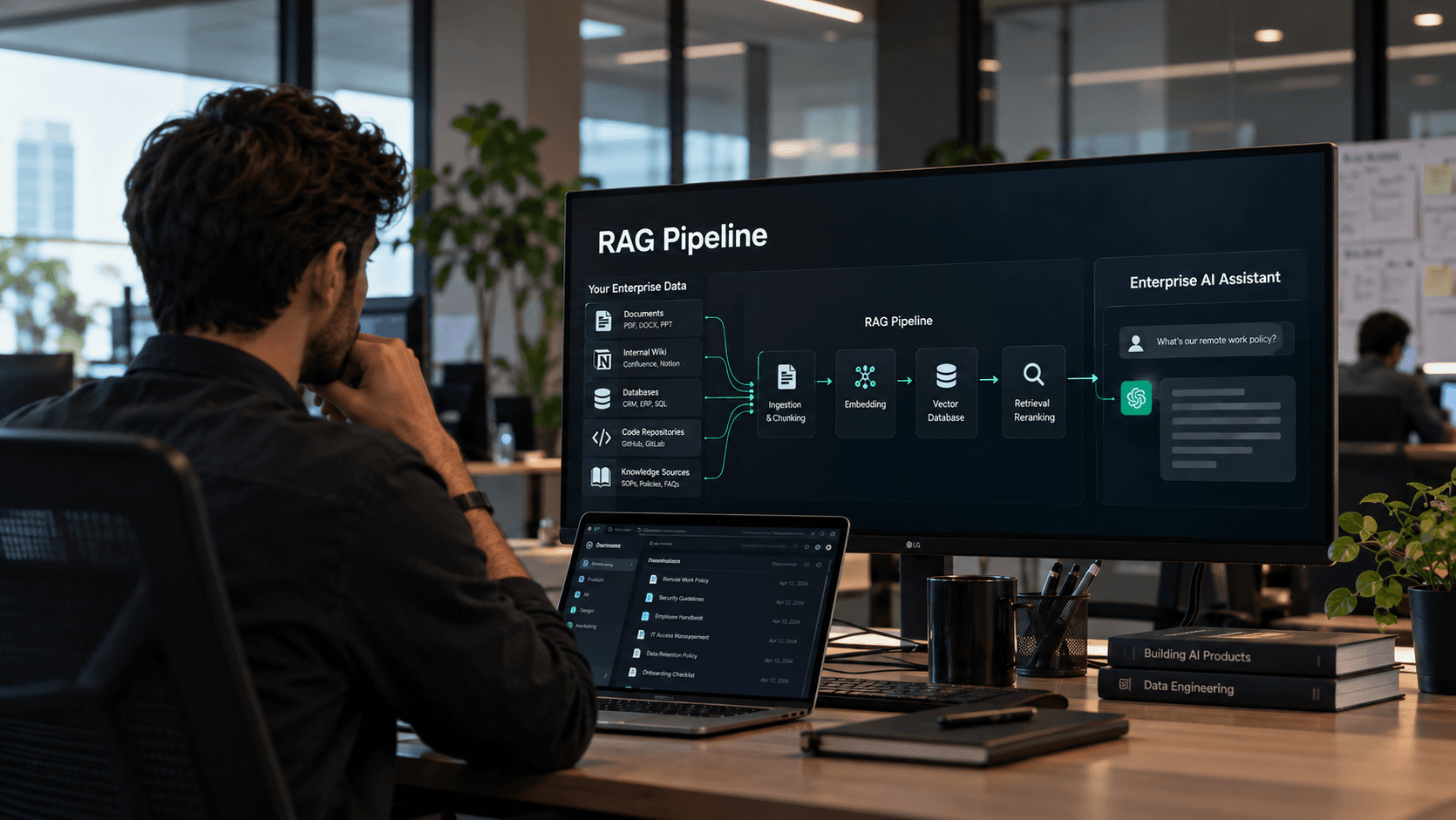
- The knowledge base. Every manual, wiring diagram, error-code table, maintenance log, and SOP, chunked, embedded, and stored in a local vector database on the laptop's SSD. This is the RAG layer, and it is where most of the real value lives.
- The retrieval pipeline. When the technician asks a question, the system pulls the most relevant passages from the knowledge base and feeds them to the model, so answers cite your documentation instead of hallucinating.
- The sync layer. When the laptop eventually reconnects, it pulls updated manuals and pushes back field notes, new failure cases, and usage logs that improve the system for everyone else.
The result: a technician types "E-47 fault on the auxiliary pump, pressure reading normal, what next?" and gets a ranked diagnostic path drawn from your own service history, quickly, with zero connectivity.
Where Offline AI Is Already Working
The early adopters share one trait: the cost of downtime dwarfs the cost of the system.
- Oil, gas, and mining. Technicians at remote extraction sites diagnose rotating equipment, compressors, and drilling systems against decades of failure history, with no uplink.
- Utilities and grid operators. Line crews and substation engineers troubleshoot in storm-damaged areas where connectivity is the first thing to go.
- Defense and aerospace. Air-gapped environments where cloud AI is prohibited outright. ITAR, CMMC, and classified networks often make on-device models the only viable option.
- Maritime and offshore. Vessels and platforms with expensive, intermittent satellite links run full diagnostic assistants locally and sync at port.
- Field medicine and humanitarian work. Clinical reference and triage support in regions with no infrastructure, where data privacy rules also forbid sending patient information to a cloud.
Offline AI vs. Cloud AI: The Tradeoffs
We build both, so here is what you give up.
What you gain with on-device AI: it works anywhere, responds fast, has no per-query fee, and your proprietary data never leaves hardware you control. For regulated industries, that last point alone often decides it.
What you give up: raw capability. A 7B-parameter model will not match a frontier model on open-ended reasoning. You also take on hardware costs, model update logistics, and the discipline of keeping the knowledge base current. An offline assistant with a stale knowledge base is worse than no assistant, because technicians trust it.
The sweet spot is a hybrid: the laptop handles the domain-specific, routine queries and flags the rest for expert review when connectivity returns. Teams that frame it this way get adoption. Teams that promise an offline genius get disappointment.
How to Build an Offline AI Field Assistant
If you are evaluating this for your own field teams, this is the sequence we recommend.
- Audit your documentation first. The model is the easy part. If your manuals are scattered PDFs, scanned faxes, and tribal knowledge, fixing that is a large part of the project, and it pays off even if you never ship the AI.
The Mistakes We Keep Seeing
Three failure patterns show up again and again in offline AI projects.
Shipping a general-purpose chatbot. If the assistant can discuss philosophy but cannot read your error codes, technicians will try it twice and never open it again. Scope it ruthlessly to the job.
Treating the knowledge base as a one-time load. Equipment revisions, new failure modes, and updated SOPs have to flow into the device on every sync. Assign an owner. Stale answers destroy trust faster than no answers.
Ignoring the feedback loop. The most valuable output of a fielded assistant is the log of questions it could not answer well. That log is your fine-tuning dataset and your documentation gap list. Most teams throw it away.
The Bottom Line
The center of gravity in enterprise AI is shifting from "how big is your model" to "how close is your model to the work." For field operations, close means in the backpack: a small language model and a RAG pipeline on a rugged laptop, trained on your equipment, working in places the cloud cannot reach.
The technology is ready. The hard part, as always, is the data, the scoping, and the rollout discipline.
If you are considering an offline AI assistant for your field teams, we offer a free 45-minute strategy call. We will tell you whether your documentation is ready, what hardware fits your environment, and what a pilot would actually cost.
- Define the queries that matter. Pull the 200 most common field issues from your ticketing system. That is your evaluation set. If the assistant cannot handle those, nothing else matters.
- Start with RAG, not fine-tuning. Retrieval over a clean knowledge base gets you most of the value at a fraction of the cost. Fine-tune later, once usage data tells you where the model struggles.
- Pick hardware for the environment, not the spec sheet. Battery life, glove-friendly input, and sunlight-readable screens decide adoption as much as TOPS do.
- Pilot with one crew. Five technicians, one region, eight weeks. Measure first-time fix rate and mean time to repair against a control group. Expand only on evidence.
Topics
- offline AI
- small language models
- edge AI
- RAG
- field service AI

Written by
Co-Founder & Director of Engineering
Usman brings 8+ years of experience building enterprise systems. He specializes in system architecture, DevOps, and data pipelines that power production AI.
Work with EdgeFirm
Ship this in your stack in 4 to 5 months.
A 30-minute call with the founders who will write your code. Fixed price, full IP ownership, no offshore handoff.
Book Strategy CallOr get the 4-Month Framework