How to Choose an AI Tech Stack That Won't Kill Your Project
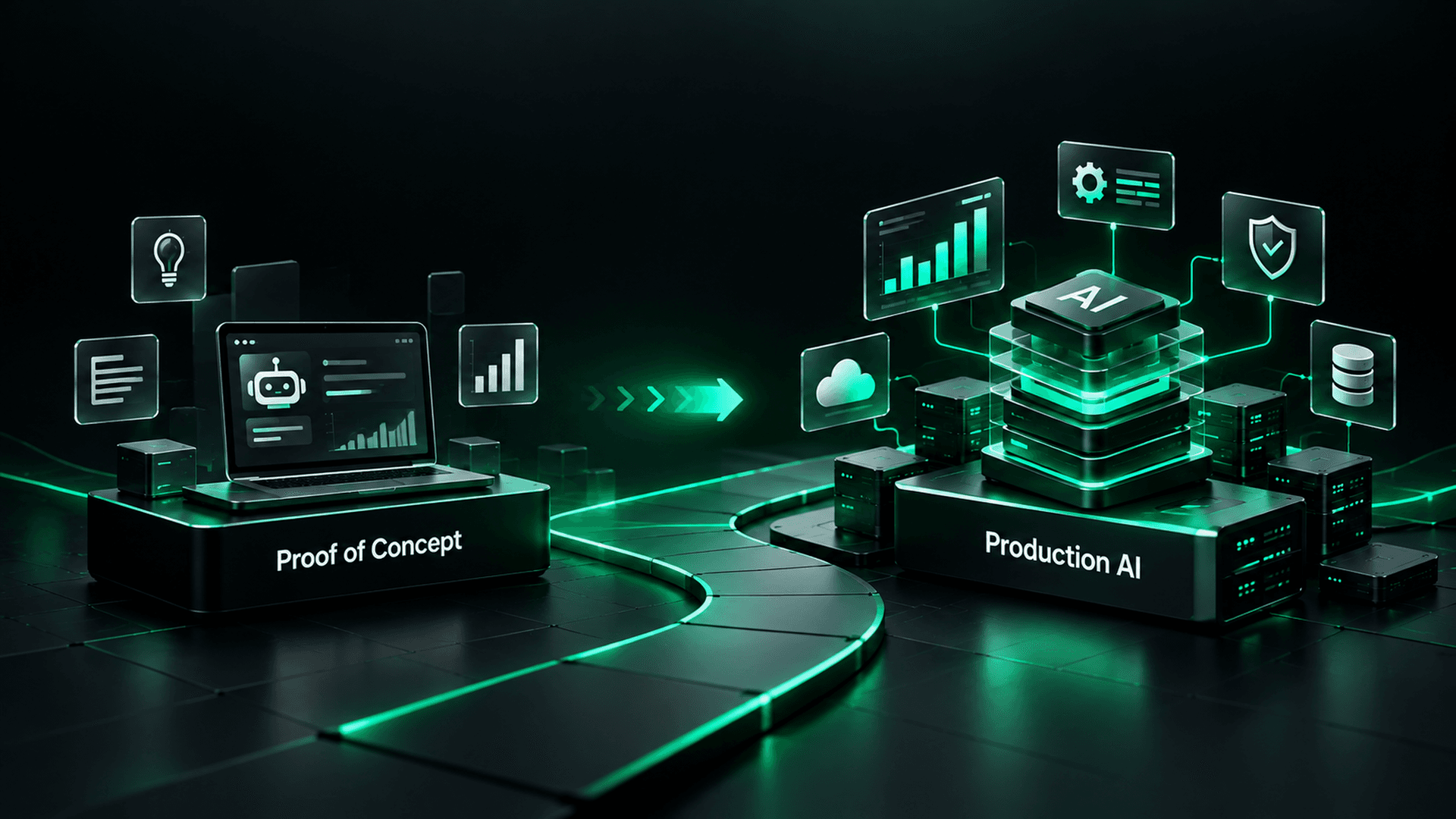
Wrong AI tech stack decisions are silently bankrupting AI projects. Here's how to pick one that survives production.

Co-Founder & Director of Engineering
· 14 min read

On this page · 13 sections
- 01The Tech Stack Graveyard
- 02Why AI Projects Are Different (And Why Generic Stack Advice Fails)
- 03Decision #1: Language, Python, Node.js, or Both?
- 04Decision #2: Framework, FastAPI, Express, Next.js, or LangChain?
- 05Decision #3: Database, SQL, NoSQL, or Vector?
- 06Decision #4: Cloud, AWS, GCP, or Multi-Cloud?
- 07Decision #5: AI Provider, OpenAI, Anthropic, or Open Source?
- 08Decision #6: Infrastructure, Containers, Serverless, or Bare Metal?
- 09The Rewrite Trap: Why Teams Rebuild from Scratch
- 10What We Actually Use (And Why)
- 11The AI Tech Stack Decision Framework
- 12Red Flags Your Stack Is Wrong
- 13Final Thoughts: Boring Wins
Your AI tech stack is either the foundation your project stands on or the quicksand it sinks into. Most teams don't find out which one until it is too late.
Here is a pattern we see often: A team picks their tech stack in week one based on what the lead engineer knows best, what's trending on Hacker News, or what some influencer recommended on Twitter. Six months later, they're staring at a production system that can't scale, can't integrate, and can't be maintained by anyone except the original developer.
Then comes the dreaded conversation: "We need to rewrite everything."
Rewrites kill AI projects. The technology is rarely the problem. The time, budget and organizational patience for AI are finite. A rewrite burns months of runway you don't have.
After close to 20 delivered projects, we've learned that tech stack decisions aren't just engineering decisions. They're business survival decisions. And the right answer is almost never the most exciting one.
The Tech Stack Graveyard
Before we talk about what works, let's examine what kills projects:
Common Stack Failures We've Witnessed:
- The "All Python" Mistake: Team builds everything in Python, API, frontend, background jobs, real-time features. Python is incredible for AI/ML. It's mediocre for high-concurrency API servers. The system struggles once concurrent users climb.
- The "Shiny Framework" Trap: Team adopts LangChain v0.1 because the tutorials look amazing. Three months in, the framework releases v0.3 with breaking changes. Half the codebase is framework-specific abstractions that no longer work.
- The "Microservices from Day 1" Disaster: Team designs a dozen microservices for an AI product that has no users yet. DevOps overhead eats most of the engineering time. They spend more time managing infrastructure than building AI.
- The "No Database Strategy" Problem: Team stores everything in PostgreSQL, including embeddings, chat history, document chunks, and real-time session data. Queries slow to a crawl. Adding a vector database retroactively means migrating a very large number of records.
- The "Cloud Lock-in" Regret: Team builds entire pipeline on AWS SageMaker. Client wants to deploy on-premise for compliance. Impossible without a rewrite.
Every one of these failures was avoidable. Better decisions would have prevented them, not better technology.
Why AI Projects Are Different (And Why Generic Stack Advice Fails)
Most "how to pick a tech stack" articles are written for CRUD apps. AI projects have fundamentally different requirements that make generic advice dangerous.
What Makes AI Stacks Unique:
1. Dual Runtime Requirements
Traditional apps have one runtime profile: serve requests fast. AI projects have two:
- Inference path: Low latency, high throughput (serving predictions to users)
- Training/processing path: High compute, batch processing, GPU-intensive (training models, processing documents, generating embeddings)
A tech stack optimized for one often fails at the other. This is why "just use Python for everything" breaks down, Python handles the ML pipeline well but can struggle with high-concurrency inference serving.
2. The Models Keep Changing
The AI model you use today may not be the model you use in six months. OpenAI, Anthropic, Google, Meta and Mistral all ship strong models. Your stack needs to support model swapping without rewriting business logic.
3. Data Pipeline Complexity
Traditional apps read and write structured data. AI apps need:
- Document ingestion (PDFs, Word docs, web pages)
- Chunking and embedding generation
- Vector storage and similarity search
- Real-time retrieval augmented generation (RAG)
- Conversation memory and context management
- Feedback loops for quality improvement
This is much more pipeline complexity than a standard web app.
4. Cost Sensitivity
AI API calls add up fast at high volume. Check current provider pricing and multiply by your expected traffic. Your stack needs to optimize for caching, batching, and cost management in ways traditional apps don't.
5. Non-Deterministic Outputs
Traditional apps are deterministic: same input, same output. AI outputs vary. Your stack needs solid evaluation, logging, and monitoring that traditional observability tools don't cover.
Key Insight: Don't take tech stack advice from people who haven't shipped AI to production. Building a chatbot demo and running a production AI system serving enterprise clients are completely different engineering challenges.
Decision #1: Language, Python, Node.js, or Both?
The Debate:
This is the first fork in the road, and most teams get it wrong by choosing one language for everything.
Python: The AI/ML Workhorse
Use for:
- ML model training and fine-tuning
- Data processing and transformation pipelines
- Embedding generation and vector operations
- Complex AI agent logic (LangChain/LangGraph)
- Batch processing jobs
- Research and experimentation
Don't use for:
- High-concurrency API servers (Python's GIL is a bottleneck)
- Real-time WebSocket connections at scale
- Frontend rendering
Node.js/TypeScript: The Application Layer
Use for:
- API servers (Express, Fastify)
- Real-time features (WebSockets, streaming)
- Full-stack applications (Next.js)
- High-concurrency request handling
- Frontend + backend in one language (TypeScript everywhere)
- Integration-heavy services (connecting APIs, webhooks)
Don't use for:
- ML model training
- Heavy numerical computation
- Data science experimentation
Our Recommendation: Use Both
It is a pattern we use in production.
The Two-Language Pattern:
Node.js/TypeScript for the application layer (API, frontend, integrations, real-time features)
Python for the AI/ML layer (model inference, data processing, embeddings, agent logic)Connect them via internal APIs, message queues, or gRPC.
Yes, this adds complexity. But it's intentional complexity that prevents worse problems later. Teams that force everything into Python tend to hit scaling walls under heavy concurrent load. Teams that force everything into Node.js hit ML ecosystem limitations immediately.
Real Example:
A typical setup for a document analysis platform looks like this:
- Next.js frontend + Express API: Handles authentication, file uploads, user management, real-time status updates (Node.js)
- FastAPI service: Handles document parsing, embedding generation, RAG queries, LLM orchestration (Python)
- Communication: Internal REST APIs + Redis pub/sub for real-time updates
Result: Each layer uses the best tool for its job, and neither bottlenecks the other.
Decision #2: Framework, FastAPI, Express, Next.js, or LangChain?
The Trap: Framework Over-Investment
Frameworks are tools, not identities. The biggest mistake we see is teams marrying a framework and building everything around its abstractions.
Framework Selection Guide:
FastAPI (Python)
- Best for: AI/ML API services, async Python backends, internal microservices
- Why: Native async support, automatic OpenAPI docs, type safety with Pydantic, excellent performance for Python
- Watch out: Not a full application framework, you'll need to add auth, ORM, background tasks separately
Express/Fastify (Node.js)
- Best for: API gateways, integration services, real-time features
- Why: Large ecosystem, long track record, handles concurrency well
- Watch out: Express is showing its age, and Fastify is more modern and generally faster. Consider Fastify for new projects.
Next.js (React)
- Best for: Full-stack AI applications with user-facing interfaces
- Why: Server-side rendering, API routes, excellent DX, huge ecosystem
- Watch out: Vercel-centric ecosystem can create soft lock-in. App Router is still maturing, mixing Server Components and Client Components can be painful.
LangChain/LangGraph
- Best for: Rapid prototyping of RAG pipelines and agent systems
- Why: Abstracts common AI patterns, large community, lots of integrations
- Watch out: This is the most controversial recommendation we'll make.
The LangChain Controversy:
LangChain accelerates prototyping but can become a liability in production. Here is our view:
Use LangChain when:
- You're validating an AI approach quickly (prototype phase)
- You need standard RAG patterns without custom logic
- Your team is new to AI and needs guardrails
Don't use LangChain when:
- You need fine-grained control over prompts and model behavior
- You're building complex, custom agent workflows
- You need to optimize for cost and latency at scale
- You want to avoid framework lock-in
Our Hard-Learned Lesson: We've built systems both with and without LangChain. For complex production systems, we increasingly use LangGraph for orchestration (it's more flexible than LangChain's chains) and call LLM APIs directly for inference. The abstraction tax of full LangChain becomes painful when you need to debug why a chain is producing bad outputs and the framework is many layers deep.
The Right Approach: Use frameworks for what they're good at. Don't let them dictate your architecture. You should be able to swap out any framework without rewriting your core business logic.
Decision #3: Database, SQL, NoSQL, or Vector?
The Mistake: One Database for Everything
AI projects have diverse data needs. Forcing everything into one database is like using a hammer for screws, it works until it doesn't.
What AI Projects Actually Need:
PostgreSQL: Your Source of Truth
- Use for: User data, application state, transactional data, structured metadata
- Why: ACID compliance, mature ecosystem, excellent with structured queries
- Pro tip: pgvector extension lets PostgreSQL do basic vector search. Good enough for smaller collections. Beyond that, test a dedicated vector database.
Vector Database (Pinecone, Weaviate, Qdrant, ChromaDB): Your AI Memory
Use for: Embedding storage, similarity search, RAG retrieval
Why: Purpose-built for high-dimensional vector operations, optimized for recall and speed
Selection guide:
Pinecone: Managed, easiest to start, best for teams that don't want to manage infrastructure. Expensive at scale.
Weaviate: Open-source, self-hostable, good hybrid search (vector + keyword). Best balance of features and control.
Qdrant: Open-source, Rust-based, excellent performance. Best raw speed.
pgvector: Not a separate database, just a PostgreSQL extension. Good enough for small to medium projects. Avoid adding infrastructure if you don't need it.
Redis: Your Speed Layer
- Use for: Caching LLM responses, session management, rate limiting, real-time pub/sub
- Why: Sub-millisecond reads. Critical for reducing AI API costs (cache identical queries) and managing real-time features.
- Cost impact: Caching common LLM queries reduces API costs. How much depends on how often your users repeat questions.
MongoDB: Your Flexible Storage
- Use for: Chat history, document metadata, unstructured logs, flexible schemas
- Why: Schema flexibility is genuinely useful for AI projects where data shapes evolve rapidly during development.
- Watch out: Don't use it as your primary database for transactional data. PostgreSQL is better for that.
Our Recommended Database Architecture:
The Three-Database Pattern:
PostgreSQL: Application data, user management, structured metadata
Vector DB (or pgvector): Embeddings and similarity search
Redis: Caching, sessions, real-time featuresAdd MongoDB only if you have genuinely unstructured data that doesn't fit PostgreSQL's JSONB columns.
Real Example:
Picture a knowledge base search across tens of thousands of documents. The initial approach is everything in PostgreSQL.
Problem: Similarity search with pgvector can be slow at this size. That may be acceptable for internal tools. It is not acceptable for customer-facing products.
Solution: Migrate the vectors to a dedicated vector database such as Qdrant and benchmark the same queries.
Lesson: Start with pgvector (simpler). Migrate to a dedicated vector DB when performance demands it. Don't over-engineer from day one, but design your code so the migration is straightforward.
Decision #4: Cloud, AWS, GCP, or Multi-Cloud?
The Short Answer:
Pick one. Stay portable. Don't go multi-cloud unless compliance forces you.
AWS vs. GCP for AI Projects:
AWS
- Strengths: Broadest service catalog, most enterprise integrations, strongest managed services (RDS, ElastiCache, ECS/EKS)
- AI-specific: Bedrock (managed LLM access), SageMaker (ML training/deployment)
- Best for: Enterprise clients already on AWS, teams that want managed everything
- Watch out: SageMaker is powerful but complex. You can spend weeks on SageMaker configuration that would take days with a simpler setup.
GCP
- Strengths: Best Kubernetes experience (GKE), strong data/ML tooling (BigQuery, Vertex AI), competitive pricing
- AI-specific: Vertex AI, native Gemini integration, TPU access for training
- Best for: Teams heavy on data/ML, startups that want strong AI tooling
- Watch out: Smaller enterprise ecosystem than AWS. Some niche services are less mature.
The Portability Principle:
Regardless of which cloud you choose, minimize cloud-specific dependencies:
- Use Docker containers: Portable across any cloud
- Use Kubernetes (EKS/GKE): Same orchestration everywhere
- Abstract cloud services: Don't call AWS SDK directly in business logic, wrap it in an interface
- Use managed databases cautiously: AWS RDS PostgreSQL is fine (standard PostgreSQL). AWS DynamoDB is lock-in.
Our Rule: We containerize everything. Our AI systems run on AWS, on GCP and on-premise, depending on the client. Same codebase, different deployment targets. The time spent making things portable pays off when a client's requirements change.
Decision #5: AI Provider, OpenAI, Anthropic, or Open Source?
The Mistake: Betting Everything on One Provider
If your entire system breaks when OpenAI has an outage (and they do), you have a business continuity problem, not just a technical one.
Provider Comparison (Check Current Details):
OpenAI
- Strengths: Strongest general-purpose models, best function calling, largest ecosystem
- Best for: General-purpose text generation, code generation, complex reasoning
- Pricing: Larger models cost much more than smaller ones. Check current provider pricing.
- Risk: Rate limits can be restrictive. Outages happen. API changes with limited notice.
Anthropic (Claude)
- Strengths: Strong at long-context tasks, analysis and writing, better safety defaults
- Best for: Document analysis, long-form content, tasks requiring large context windows
- Pricing: Check current provider pricing and compare cost per task on your own prompts.
- Risk: Smaller ecosystem than OpenAI. Fewer third-party integrations.
Open Source (Llama, Mistral)
- Strengths: No API costs, full control, data stays on your infrastructure, no rate limits
- Best for: High-volume inference, compliance-heavy environments, cost-sensitive applications
- Risk: You manage infrastructure. GPU costs can exceed API costs if volume is low. Quality gap with frontier models (narrowing but real).
Our Recommendation: The Abstraction Layer Pattern
Build a model abstraction layer from day one.
Your business logic should call
generate_response(prompt, config), notopenai.chat.completions.create().This lets you:
• Switch providers without changing business logic
• Use different models for different tasks (a large model for reasoning, a long-context model for long documents, an open model for high-volume classification)
• Fall back automatically during outages
• A/B test models against each other
• Optimize costs by routing to cheaper models when quality requirements are lower
Real Example:
Picture an AI system that sends every request to one large, expensive model.
After adding model routing, the work is split by task:
- Large model: Complex reasoning tasks
- Long-context model: Long document analysis
- Small model: Simple classification and extraction
The bill drops because most requests no longer need the largest model. Savings depend on your traffic, so measure against your own baseline.
This was only possible because we'd built the abstraction layer. Without it, switching models would have required touching every file in the codebase.
Decision #6: Infrastructure, Containers, Serverless, or Bare Metal?
The Default Answer for Most AI Projects: Containers on Kubernetes
This is not exciting advice, but it holds up.
Why Docker + Kubernetes:
- Portability: Same container runs locally, on AWS, on GCP, on-premise
- Scaling: Kubernetes auto-scales AI inference pods based on demand
- Isolation: AI services run in separate containers from application services (different resource profiles)
- Reproducibility: "Works on my machine" is eliminated
- GPU support: Kubernetes supports GPU scheduling for AI workloads
When Serverless Works:
- Low-traffic AI endpoints
- Event-driven processing (document uploaded → process it)
- Scheduled batch jobs
When Serverless Fails for AI:
- Cold starts (a cold start plus model loading adds noticeable latency)
- Memory limits (AI models need RAM, and serverless platforms cap it)
- Execution time limits (complex AI pipelines can exceed them, so check current platform limits)
- Cost at scale (serverless is cheap at low volume, expensive at high volume)
CI/CD for AI Projects:
Standard CI/CD applies, plus AI-specific considerations:
- Model versioning: Track which model version is deployed (not just code version)
- Evaluation pipeline: Run quality checks on AI outputs before deploying new versions
- Rollback strategy: If model quality degrades, roll back to previous model version (separate from code rollback)
- Staging environment with real data: AI testing requires realistic data, not synthetic fixtures
The Rewrite Trap: Why Teams Rebuild from Scratch
The most expensive mistake in AI engineering isn't picking the wrong stack. It's picking the right stack for today and the wrong stack for tomorrow.
What Triggers Rewrites:
- Prototype-to-production jump: Demo built in Jupyter notebooks. Can't deploy notebooks. Rewrite everything.
- Scaling wall: System works for 50 users. Breaks at 500. Architecture doesn't support horizontal scaling. Rewrite.
- Integration hell: AI system can't connect to client's existing tools. Architecture too rigid to add integrations. Rewrite.
- Model migration: Hardcoded to OpenAI. Client wants to use Azure OpenAI (or Anthropic, or on-premise models). Every function calls the API directly. Rewrite.
- Team change: Original developer used obscure framework. They leave. No one can maintain it. Rewrite.
How to Avoid the Rewrite:
Design for change from day one:
- Separate concerns: AI logic, application logic, and infrastructure should be independently modifiable
- Use interfaces: Abstract external dependencies (LLM providers, databases, cloud services) behind interfaces
- Keep it boring: Use well-established tools. Boring technology is maintainable technology.
- Document decisions: Write Architecture Decision Records (ADRs). Future you will thank present you.
- Plan for migration: If you choose pgvector today, structure your code so migrating to Pinecone is a one-day task, not a one-month task.
The Rewrite Math: A rewrite costs months and a large share of your remaining budget. For many AI projects, that is a death sentence. Prevention is far cheaper than the cure.
What We Actually Use (And Why)
Here is what we have converged on after close to 20 delivered projects. It is not the only valid stack, but it has held up in production.
Our Production Stack:
Application Layer:
- Next.js + TypeScript: Full-stack applications with React frontends
- Express or Fastify: API services that don't need a frontend
- Why: TypeScript gives us type safety across the full stack. Next.js handles SSR, API routes, and frontend in one framework.
AI/ML Layer:
- Python + FastAPI: AI services (inference, RAG, agent logic)
- LangGraph: Complex agent orchestration (when needed)
- Direct API calls: For straightforward LLM interactions (no framework overhead)
- Why: Python's ML ecosystem is unmatched. FastAPI gives us async performance and auto-generated docs.
Databases:
- PostgreSQL: Primary application database
- pgvector or Qdrant: Vector storage (pgvector for small projects, Qdrant for large)
- Redis: Caching, sessions, rate limiting
- MongoDB: Only when flexible schema is genuinely needed
Infrastructure:
- Docker: Everything containerized
- Kubernetes (EKS/GKE): Orchestration for production
- GitHub Actions: CI/CD
- AWS (primary) / GCP (secondary): Cloud hosting
AI Providers:
- OpenAI: General reasoning and code tasks
- Anthropic Claude: Long-context analysis and document processing
- Open source (Llama/Mistral): High-volume, cost-sensitive inference
- All behind an abstraction layer: Swappable per-task
This stack is not trendy, and that is the point. Every piece has a long track record in production.
The AI Tech Stack Decision Framework
Instead of prescribing a stack, here's the framework we use to evaluate decisions for each project:
Step 1: Define Your Constraints
Before choosing anything, answer these:
- Team skills: What does your team know? (Retraining costs time)
- Timeline: How fast do you need to ship? (Familiar tools ship faster)
- Scale: How many users and requests? (A hundred users and a hundred thousand users need different architectures)
- Compliance: Any regulatory requirements? (HIPAA, SOC 2 and GDPR requirements shape the design)
- Budget: What can you spend on infrastructure? (Managed services vs. self-hosted)
- Client environment: Where does this need to deploy? (Cloud, on-premise, hybrid)
Step 2: Start Simple, Plan for Growth
Don't design for a million users on day one. Design for a thousand users with a clear path to more.
- Start with a monolith (or two services: app + AI)
- Extract services when you have evidence of need, not speculation
- Use managed services initially (less ops overhead)
- Migrate to self-managed when scale justifies it
Step 3: Optimize for the Team You Have
The best tech stack is the one your team can execute on. A theoretically perfect stack that your team can't build with is worse than a decent stack they're productive with.
- Team knows Python? Start with FastAPI. Don't force them into Go "because it's faster."
- Team knows React? Use Next.js. Don't switch to Svelte because benchmarks look better.
- One senior engineer? Keep the stack minimal. Two languages max.
Step 4: Evaluate with These Criteria
For every technology choice, score against:
- Maturity: Has it been in production for several years? (Avoid bleeding edge)
- Community: Can you find answers on Stack Overflow at 2 AM? (Matters more than features)
- Hiring: Can you hire developers who know this? (Exotic stacks create bus-factor risk)
- Portability: Can you swap it out later without a rewrite? (Avoid lock-in)
- Operational cost: What does running this cost monthly? (Include human time, not just hosting)
Red Flags Your Stack Is Wrong
If you're already building, watch for these signals that your tech stack is becoming a liability:
- "We can't add that feature because of our architecture" → Your stack is too rigid. Architecture should enable features, not block them.
- "Only [one person] understands how this works" → Bus-factor risk. Stack is too exotic or poorly documented.
- "It works locally but not in production" → Missing containerization or environment parity.
- "We spend more time on infrastructure than features" → Over-engineered stack. Simplify.
- "We can't switch AI providers" → Missing abstraction layer. Fix this before it's an emergency.
- "Our API is too slow but we can't optimize it" → Wrong language/framework for the workload.
- "We need to rewrite to add [basic requirement]" → Architecture wasn't designed for change. The rewrite trap is sprung.
- "Deploying takes days" → Missing CI/CD or infrastructure automation.
If you're seeing three or more of these red flags, address them now. They compound. A stack that's slightly wrong today becomes very wrong at ten times the scale.
Final Thoughts: Boring Wins
Here's the uncomfortable truth about tech stacks: the most successful AI projects we've built use boring technology.
PostgreSQL. Docker. Python. Node.js. Redis. Kubernetes.
None of these are exciting. All of them are proven. They have large communities, good documentation, mature tooling and available talent.
The exciting stuff, the bleeding-edge frameworks, the novel databases, the brand-new orchestration tools, those are for experiments and side projects. Production AI systems serving enterprise clients need reliability, not novelty.
The Three Rules of AI Tech Stack Selection:
- Optimize for the team, not the technology. The best stack is the one your team ships fast and maintains well.
- Design for change, not perfection. You will swap providers, migrate databases, and scale beyond expectations. Make those changes easy.
- Start simple, earn complexity. Add microservices, multi-cloud, and exotic tools when you have proof they're needed, not before.
Your tech stack should be a competitive advantage, not a liability. Choose wisely, keep it simple, and remember: the stack that ships to production beats the stack that looks good on a whiteboard.
What's Next?
Not sure if your current stack can support your AI plans?
We offer a 30-minute Tech Stack Review where we'll:
- Evaluate your current architecture
- Identify scaling bottlenecks before they hit
- Recommend specific improvements for your use case
- Tell you plainly if your stack is fine and should not change
Related Reading:
Topics
- tech stack
- AI tech stack
- AI architecture
- Python vs Node.js
- AI infrastructure
- production AI
- system architecture
- AI engineering
- enterprise AI software
- AI integration consulting services
- enterprise app development
- AI software development services

Written by
Co-Founder & Director of Engineering
Usman brings 8+ years of experience building enterprise systems. He specializes in system architecture, DevOps, and data pipelines that power production AI.
Work with EdgeFirm
Ship this in your stack in 4 to 5 months.
A 30-minute call with the founders who will write your code. Fixed price, full IP ownership, no offshore handoff.
Book Strategy CallOr get the 4-Month Framework